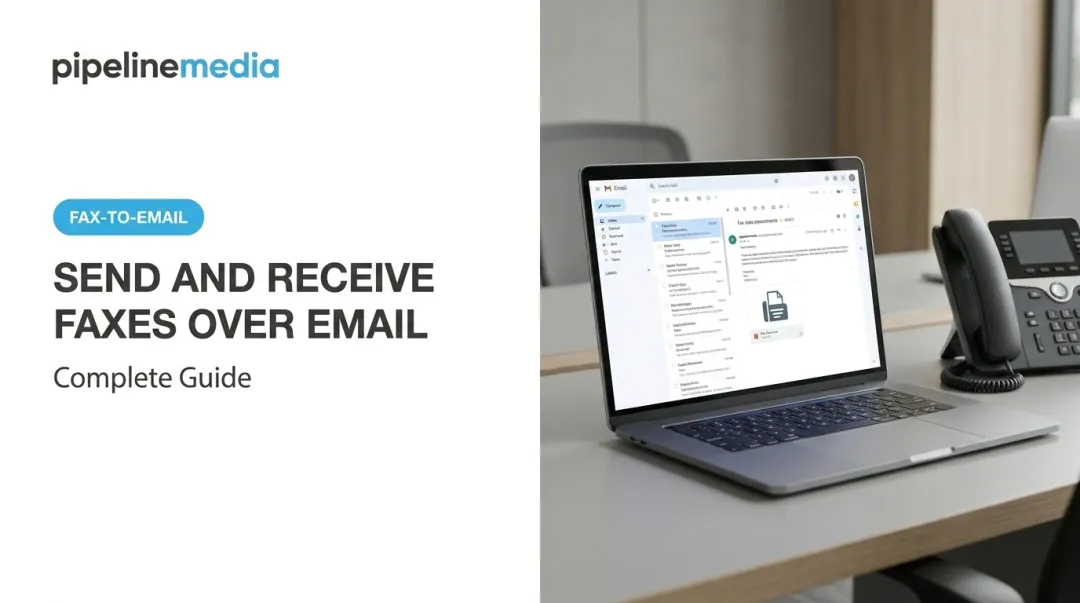

Forwarding faxes to email lets you keep that fax number without keeping the machine. It sounds simple, but the results depend on your provider, your device settings, your email configuration, and the file format you choose.
This guide covers how forwarding works, when it makes sense, exact setup steps, the factors that affect reliability, and how to fix common problems.
TL;DR
- Fax-to-email converts incoming faxes into PDF or TIFF attachments delivered straight to your inbox
- You need either a multifunction printer (MFP) with forwarding built in, or a service like Pipeline Media's Fax-To-Email
- Setup takes minutes: pick a destination email, choose your format, then send a test fax
- Common failures trace back to bad SMTP settings, wrong file formats, or skipping the test step
- Handling sensitive documents? Confirm encryption and compliance handling before you commit
How to Forward Faxes to Email
Step 1: Choose Your Forwarding Method
You have two real options: use your existing MFP's forwarding feature, or sign up for a dedicated Fax-To-Email service.
- MFP forwarding keeps your current fax line but depends on correctly configured network and SMTP settings
- A Fax-To-Email service such as Pipeline Media issues you a number and manages delivery end to end
- Most Fax-To-Email signups issue a new virtual number from almost any US or Canadian city, rather than porting your old one — confirm this directly with your provider before switching
- Check that whatever method you pick supports PDF, since it's the standard format most recipients expect

Step 2: Configure Your Destination Email Address
Once you've picked a method, point it at the right inbox.
- Log into your printer's admin panel or your provider's account dashboard
- Enter the email address (or addresses) where faxes should land
- If you're using an MFP, verify the SMTP server, port, and authentication settings — this is where most setups break
Tip: On many MFPs (including Xerox), fax forwarding uses the same SMTP settings as Scan to Email. If one fails, the other usually will too.
Step 3: Set File Format and Delivery Preferences
Your file format choice affects who can actually open the fax.
- PDF opens on nearly any device without extra software and is the safer default for most offices
- TIFF still works on many MFPs but may need a dedicated viewer, which slows access
- Decide whether you want full attachments, a notification-only email, or both
- If cloud storage is available, set your retention and archiving preferences now, not later
Step 4: Test and Confirm
Don't trust a fax setup you haven't tested.
- Send a test fax to your new number and confirm it lands in the target inbox
- Check spam and junk folders — this catches more failures than people expect
- Whitelist your provider's sending domain in your email client
- Resolve any delays now, before a real contract or medical record depends on it
When Should You Forward Faxes to Email?
Fax-to-email isn't universal. It solves specific problems for specific setups.
It works well for:
- Remote or hybrid teams without a shared office fax machine
- Multi-location businesses that need centralized fax intake
- Healthcare, legal, and financial offices where fax remains a compliance requirement
It works less well for:
- High-volume senders needing conditional routing across many lines
- Organizations with formal audit and retention requirements beyond a simple inbox rule
Volume is the real dividing line. A small business receiving occasional faxes benefits from low-cost forwarding.
An operation processing thousands of pages a day needs enterprise fax infrastructure. Pipeline Media's Fax Broadcasting service, for example, handles over 1 million pages per hour with delivery reporting and automatic retries. That is a different tier from a $10/month inbox rule.

What You Need Before Forwarding Faxes to Email
Getting the setup right upfront prevents missed or misrouted documents down the line.
Equipment and System Requirements
You need either a multifunction printer (MFP) with fax forwarding support, or an account with an online provider. Pipeline Media's Fax-To-Email service offers two tiers:
| Plan | Monthly Cost | Fax Number | Pages Included | Overage Rate |
|---|---|---|---|---|
| Standard | $10 USD | 1 | 100 in / 100 out | $0.10/page |
| Pro | $20 USD | 1 | 250 in / 250 out | $0.08/page |
Both plans come with no setup fee, and you can cancel anytime.
Inputs and Account Details
Have these ready before you switch:
- A monitored email inbox (checking it weekly isn't enough)
- Confirmation that your provider's output format opens in your workflow
- Access credentials for whoever will manage the account day to day
Security and Compliance Readiness
If you're in a regulated industry, ask direct questions before switching:
- Does the provider encrypt data in transit and at rest?
- Do they support a Business Associate Agreement for HIPAA purposes?
- Is there documentation confirming compliance-ready handling?
HHS guidance confirms that faxing PHI for treatment purposes is permitted with reasonable administrative and technical safeguards. Forwarding a fax to email does not automatically make your workflow compliant.
If a provider handles ePHI on your behalf, they are a business associate under HIPAA, and you need a signed BAA. Don't take a vendor's word for it; get it in writing.

Key Factors That Affect Fax Forwarding Results
The tool matters less than how you configure it. Four factors decide whether forwarding actually works.
File Format Selection
PDFs open everywhere without extra software. TIFF files sometimes need a dedicated viewer, which can delay access when someone's waiting on a contract.
Email Server/Inbox Configuration
Wrong SMTP settings or a full inbox cause silent failures. You won't know a fax didn't arrive until someone asks where it went, and by then a medical record or signed agreement may already be late.
Number of Destination Addresses
Routing to a single person creates a bottleneck if they're out sick or on vacation. Multiple recipients build in redundancy for teams that can't afford a gap.
Provider Reliability and Delivery Speed
A slow conversion pipeline can delay a time-sensitive fax by hours. If your business runs on same-day turnaround, delivery speed decides whether that fax still matters when it lands.
Common Mistakes When Forwarding Faxes to Email
A few setup mistakes can erase the gains of fax-to-email. Watch for these:
- Skipping the test fax: Configuration errors stay hidden until a real document goes missing
- Choosing an inbox nobody checks: A forgotten shared account defeats the entire purpose
- Ignoring spam filters: Important faxes land in junk more often than people assume
- Not verifying compliance requirements: Sending PHI or financial data through an unverified pipeline creates serious compliance risk
Troubleshooting Fax Forwarding Issues
Even a properly configured setup runs into glitches occasionally. Here's how to isolate the problem fast.
| Problem | Likely Cause | What to Check |
|---|---|---|
| Faxes not arriving in inbox | Incorrect SMTP or email address | Verify admin or provider settings, then resend a test fax |
| Faxes landing in spam | Sending domain not whitelisted | Add the provider's domain to your safe senders list |
| Poor document quality | Wrong file format or low-resolution conversion | Switch to PDF and confirm conversion settings |
One useful diagnostic: separate account problems from device problems. eFax's own support documentation treats a wrong receiving address as an account-level issue, while Xerox treats failed SMTP as a device-level issue. Check both sides before you assume the whole system is broken.

Frequently Asked Questions
Can faxes be forwarded to email?
Yes. Use either a multifunction printer's built-in forwarding feature or a dedicated Fax-To-Email service that converts incoming transmissions into PDF attachments delivered to your inbox.
Can a fax number be forwarded?
Fax numbers can often be routed to another number or an email address without changing the original. Whether an existing number can be ported into a new service varies by provider, so confirm directly before switching.
How do I set up fax forwarding on a multifunction printer?
Access the fax or forwarding settings menu in your printer's admin panel, enter your destination email address, save the configuration, then send a test fax to confirm delivery.
Is fax forwarding to email secure?
Secure Fax-To-Email providers encrypt messages in transit and at rest and support compliance needs such as HIPAA where required. Ask about encryption, retention, and access controls before you enroll.
Do I need a fax machine to receive faxes by email?
No. A Fax-To-Email or online fax service tied to a virtual number handles everything. No physical machine is required.
How much does fax forwarding to email cost?
Pricing varies by provider and volume. Pipeline Media's Fax-To-Email starts at $10/month for 100 pages in and out, with a Pro tier at $20/month for 250 pages, no setup fee, and cancellation anytime.