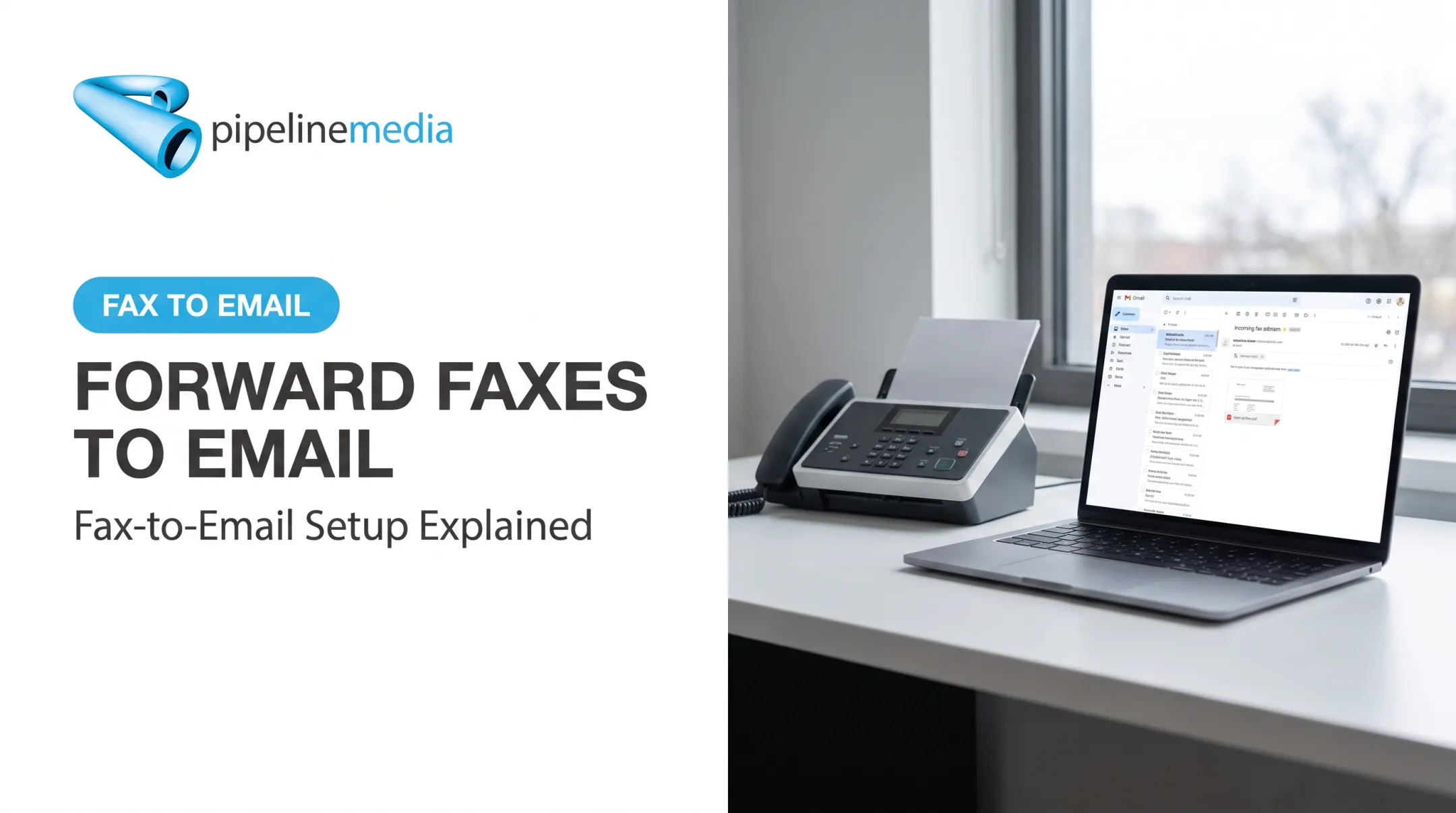
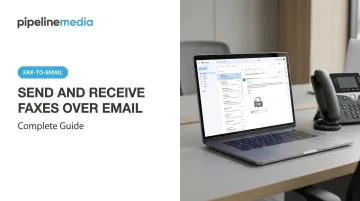
Email-to-fax makes this possible. You send a PDF from your inbox, and a gateway service converts it into an actual fax transmission on the other end.
The concept is simple, but success depends on details: picking the right service, formatting your request correctly, and prepping your document so it doesn't arrive garbled. This guide walks through exactly how to do it, when it's worth using, and the mistakes that cause most failed transmissions.
TL;DR
- Email-to-fax sends and receives faxes through a regular inbox, with no machine or landline required
- To send: email
faxnumber@servicedomain.comwith a PDF attached - To receive: get a virtual fax number; incoming faxes land as PDF attachments in your inbox
- Compatible with Gmail, Outlook, Yahoo, or any standard email client
- Best for occasional or low-volume use; high-volume or compliance-heavy senders often need a managed provider instead
How to Send and Receive Faxes Over Email
Step 1: Choose and Set Up an Email-to-Fax Service
You need a provider before you can send anything. Registering gets you either a shared gateway domain (for sending only) or a dedicated virtual fax number (for sending and receiving).
Two pricing models dominate the market:
- Pay-per-fax: good for occasional senders. Some services offer a handful of free pages before charging per transmission.
- Subscriptions: bundle a page allowance with a monthly fee, better for regular use.
Pipeline Media's Fax-To-Email service illustrates the subscription model well. It offers two tiers:
| Plan | Price | Pages In/Out | Overage Rate |
|---|---|---|---|
| Standard | $10 USD/month | 100 / 100 | $0.10/page |
| Pro | $20 USD/month | 250 / 250 | $0.08/page |
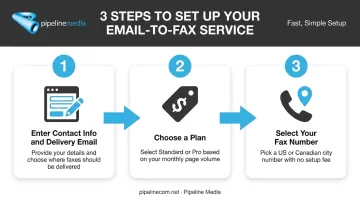
Both plans include one dedicated number selectable from almost any US or Canadian city, no setup fee, and cancel-anytime terms. Setup takes three steps: enter your contact info and delivery email, pick a plan, then choose your number.
Not every provider handles both directions equally. Some gateways only support outbound faxing through a shared domain, with inbound requiring a separate paid number. Confirm this before assuming your account covers receiving too.
Step 2: Prepare Your Document
PDF is the safest format. It preserves layout and formatting consistently across different fax gateways, which matters because your document gets converted into fax image data before transmission.
Commonly supported formats:
- PDF (most reliable)
- DOCX
- JPG, PNG
- TIFF
Formats to avoid:
- Password-protected files
- ZIP archives (rejected by most gateways)
File size limits vary by provider. Fax.Plus caps uploads at 75 MB per file and 10 files per fax, while RingCentral limits attachments to 50 MB and 200 pages. Compress large scans before sending if you're near these ceilings.
Before hitting send, check page order, orientation, and signature legibility. The conversion process renders exactly what you attach — there's no manual review step to catch a sideways page.
Step 3: Compose and Address the Email Correctly
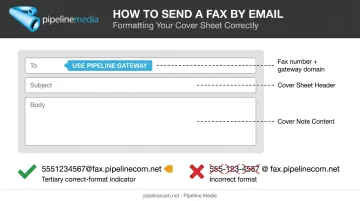
This is where most failures happen. The "To" field needs the recipient's fax number, formatted correctly, followed by the provider's gateway domain.
Format example:
- eFax:
15552213511@send.efax.com - Fax.Plus:
+16692001010@fax.plus
Notice the differences: some providers want the plus sign, others don't. Copy the exact syntax your specific provider requires; don't assume one gateway's format works with another.
The most common sending error: dropping the country code or including dashes, spaces, and parentheses in the number.
(555) 221-3511will likely fail.15552213511will not.
The subject line typically becomes your fax cover sheet header, and text in the email body usually appears as cover note content. Keep both clear and professional since the recipient sees them first.
Step 4: Send, Confirm, and Receive Incoming Faxes
Once you click send, the gateway converts your email and attachment into fax data, dials the recipient's line (or routes over an IP fax protocol), and transmits. You'll typically get a confirmation email showing success or failure.
Receiving works in reverse. Faxes sent to your assigned virtual number get converted automatically and land in your inbox as PDF or TIFF attachments, with no action required on your part.
Higher-volume senders run into real limits with this self-managed setup. A busy number means a failed fax with no automatic retry, and delivery reporting is typically a simple pass/fail rather than a detailed breakdown.
This is where full-service handling changes the equation. Pipeline Media's Fax Broadcasting service, for example, retries problem numbers three times at no extra charge and provides detailed delivery reports, taking the manual monitoring off your plate entirely.
When Should You Use Email-to-Fax (And What You Need First)?
Email-to-fax fits best when convenience matters more than volume. If you're sending a handful of faxes a month, this beats buying a machine or paying for a phone line you'll rarely use.
Regulated industries lean on fax more than you might expect. In 2019, 35% of surveyed office-based physicians used only fax, mail, or eFax to share information outside their organization, according to ONC's interoperability data. That's less about fax being inherently superior and more about interoperability gaps between systems. Fax works everywhere, regardless of what software the other side runs.
Equipment and Account Requirements
You need surprisingly little:
- An email account (any provider)
- A registered email-to-fax service, such as Pipeline Media's Fax-To-Email subscription, which starts at $10/month for 100 pages sent and received on US and Canadian numbers
- The recipient's complete fax number, including country code
- A stable internet connection
That's it. No hardware, no dedicated phone line.
Document and Compliance Readiness
Sensitive documents — medical records, legal filings, financial statements — need extra scrutiny. Before choosing a provider, confirm these safeguards:
- Encryption in transit for every fax sent or received
- A signed Business Associate Agreement (BAA) for healthcare use
- Documented data security policies you can review, not just marketing claims
HHS permits physicians to fax patient information for treatment purposes, but requires "reasonable safeguards," including confirming the fax number is correct before sending. No fax provider is automatically HIPAA-compliant just because it handles faxes. You need to verify their specific security controls before sending anything sensitive.
Key Factors That Affect Fax Delivery Success
Sending is simple in theory. Whether the fax actually arrives intact depends on a few variables working together.
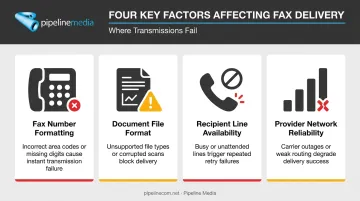
The main factors include:
- Fax number formatting: Missing country codes or including dashes and parentheses is the single biggest cause of failed transmissions. The fax either bounces back immediately or never reaches the gateway.
- Document file format: Non-PDF files can reflow text or lose formatting during conversion, leaving recipients with misaligned or garbled pages.
- Recipient machine or line availability: Busy signals, machines out of paper, or offline lines block delivery regardless of how well you've prepared the fax. You'll get a failure notification and need to retry.
- Provider network reliability: Not every gateway runs the same quality of fax-over-IP protocol. T.38, the standard for real-time fax over internet connections, includes redundancy and error correction. Still, Cisco's documentation notes that transmissions routinely fail once packet loss exceeds 2% in certain setups. A cheap or poorly maintained gateway can drop pages on longer documents even when everything else is done right.
Recipient-side issues like busy lines are unavoidable, but managed services can soften the impact. Pipeline Media's fax broadcasting, for instance, automatically retries problem numbers three times at no extra charge and provides delivery reports so you know exactly which pages went through.
Common Mistakes and How to Troubleshoot Them
Most problems trace back to a handful of preventable errors.
Omitting the country code or using symbols in the fax number. Fix: enter digits only, always leading with the country code (1 for US/Canada).
Attaching unsupported or password-protected files. Fix: convert to PDF beforehand and strip any encryption before sending.
Assuming all providers support both sending and receiving. Fix: confirm your plan includes a receiving number if two-way faxing matters to you.
Ignoring failure notifications. Fix: check the reason code (busy, no answer, wrong number) and retry manually. Some providers, including Pipeline Media, retry problem numbers automatically at no extra charge, which removes the guesswork.
That last point deserves attention. A failed fax with no follow-up is a document that never arrived, and the sender often won't know until someone asks where it went.
Alternatives to Sending Faxes Over Email
Email-to-fax gateways aren't the only way to go paperless. Depending on your volume and technical comfort, other approaches might fit better.
Dedicated Fax Apps and Web Portals
Better for frequent faxing, mobile document scanning, or real-time status tracking. The trade-off: you're learning a new interface instead of just using your existing inbox.
Full-Service Fax Broadcasting for Businesses
When a company needs to send the same document to hundreds or thousands of recipients — announcements, compliance notices, mass alerts — sending one email-to-fax at a time isn't practical.
Pipeline Media manages this end-to-end for businesses: clients send their document and recipient list, and the team handles conversion, transmission, and reporting. Key capabilities include:
- Pushes over 1 million pages per hour, with most jobs live and running in under an hour
- Retries every problem number three times automatically, free of charge
- Delivers detailed reports showing exactly who received the fax and why any failed
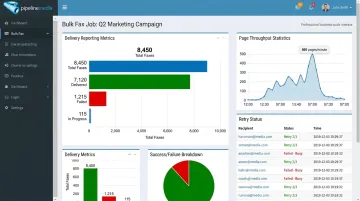
This model works best at scale, where the volume and setup effort pay off. It's a meaningful step up from managing each fax manually through a personal email-to-fax account.
Traditional Fax Machine With a Phone Line
This option fits offices that already have working hardware and minimal faxing needs. The trade-off is ongoing cost — line rental, paper, toner — and zero remote access. If your team works from multiple locations, this option starts looking outdated fast.
Frequently Asked Questions
How can I fax over email?
Compose an email, enter the recipient's fax number plus the provider's gateway domain in the "To" field, attach a PDF, and hit send. The service converts and delivers it as a standard fax automatically.
Can I send a fax over email for free?
Several services offer a limited number of free pages, typically 5 to 10, before requiring payment per page or a subscription. Free tiers work fine for a single occasional fax but aren't built for regular use.
Why is fax preferred over email?
Fax is treated as a more secure, legally recognized transmission method in regulated industries partly because standard email isn't inherently encrypted. Security still comes down to the specific safeguards each channel uses, not the channel itself.
Can I receive a fax directly in my email inbox?
Yes. Signing up for a virtual fax number lets incoming faxes convert automatically and arrive in your inbox as PDF attachments. Pipeline Media's Fax-To-Email plans, for instance, start at $10/month for 100 pages with no setup fee or contract.
Is faxing through email secure and HIPAA compliant?
It depends entirely on the provider. Look for encryption in transit and, for healthcare use, a signed Business Associate Agreement (BAA) — no fax service is automatically compliant by default.
What file types can I send when faxing through email?
PDF is the most reliable choice. DOCX, JPG, PNG, and TIFF are generally supported too, while password-protected files and compressed archives are typically rejected.